QSM Audio comes included with the Advanced Question Types Addon. The audio question type allows students to record and submit a spoken response directly within the quiz, offering a more expressive and personal way to answer questions compared to typed text.
Here, a user is presented with a question and can record their voice as the answer using their device’s microphone, directly from the quiz interface.
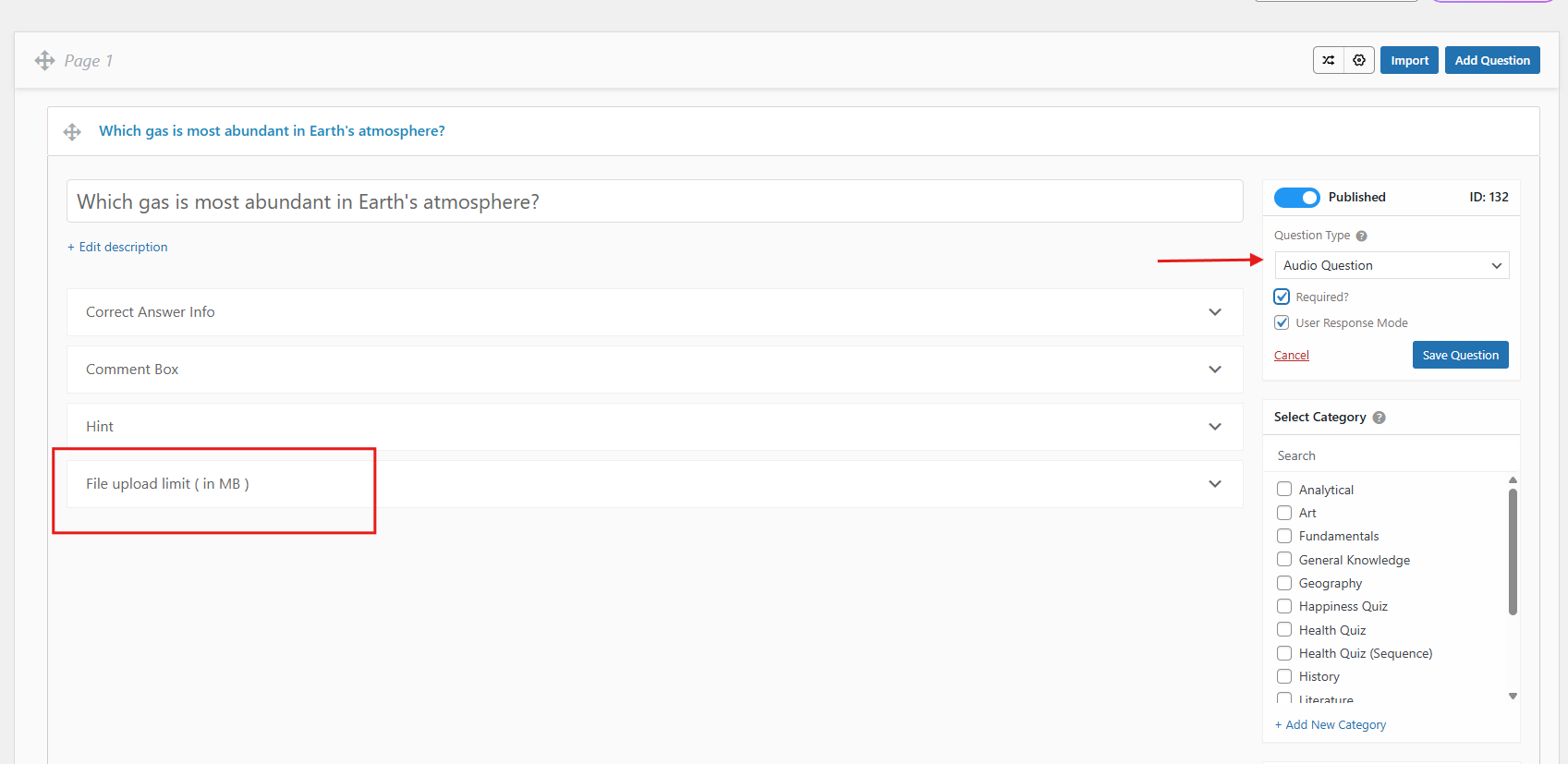
To create a quiz using the Audio question type, select Audio as the question type from the question editor. There are no additional answer fields to configure; the recording interface is made available directly to the quiz taker on the front end.
As a quiz creator, you can set the maximum file upload limit in MB to control how large a recorded audio response can be.
To ensure students don’t skip the question, you can mark it as “Required,” which will prevent the quiz from progressing until the user has submitted a recorded response.
Besides, if you enable the ‘User response Mode’ beneath the required option, then the audio question will be treated as non-graded, and you cannot assign correct/incorrect to it.
For example, in a language learning quiz, you could ask students to record themselves pronouncing a word or reading a sentence aloud. This gives the educator a direct listen to the student’s spoken fluency rather than relying on written answers alone.
Once the user finishes recording, they can listen back to their response or even download it before submitting.
On the quiz creator’s side, all submitted audio responses are available to listen to manually on the Results page and ‘Evaluate‘ individually, making it easy to review and evaluate spoken answers at your own pace.
 Still stuck? How can we help?