Last updated: August 2026
The short answer: To create a lead-generation quiz in WordPress, install Quiz And Survey Master (free), build qualifying questions, gate the result behind an email field, then use conditional logic (Plus) to branch answers and send leads to Mailchimp or your CRM. You can launch a basic version free and add logic and email automation as you grow.
A lead-generation quiz is one of the highest-converting opt-ins you can put on a website — people happily give their email to see a personalised result. Marketers pay SaaS tools a monthly fee for this, but you can build a lead-generation quiz in WordPress with a free plugin and upgrade only when you need automation. Here’s the full walkthrough.
What a lead-gen quiz is (and why it converts)
A lead-gen quiz asks a few engaging questions (“What’s your marketing style?”, “Which plan fits your business?”), then shows a tailored result — but only after the visitor enters their email. Because the reader is invested in their outcome, opt-in rates routinely beat a plain newsletter box. Done well, it also qualifies the lead: the answers tell you what they need before your first email. You’ll build it with Quiz And Survey Master (QSM), the free WordPress quiz plugin.
Step 1: Install Quiz And Survey Master (free)
- In WordPress, go to Plugins → Add New.
- Search for “Quiz And Survey Master.”
- Click Install Now, then Activate. (Download it here.)
Step 2: Write questions that qualify
Create a new quiz (QSM → Quizzes/Surveys → Create New) and add 4–7 questions that both engage and segment your audience. Good lead-gen questions reveal a need (“What’s your biggest challenge with X?”), reveal a fit (“How big is your team?”), and stay light — keep it under two minutes. Use multiple-choice questions so answers map cleanly to segments later.
Step 3: Gate the result behind an email capture
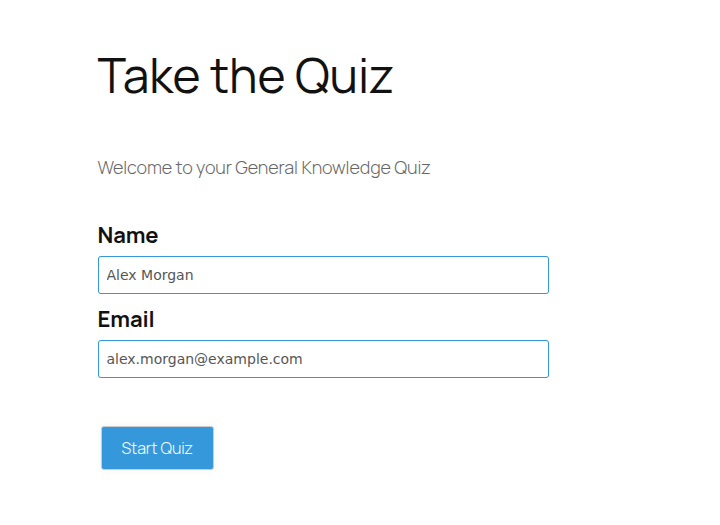
In your quiz’s Contact Form settings, add an email field and set it to display before results. Now the visitor must enter their email to see their personalised outcome — that’s your lead capture.
Step 4: Branch answers with conditional logic (Plus)
To make the quiz feel personal and route leads intelligently, add conditional logic — a feature on the QSM Plus plan ($199/year). With it you can show different follow-up questions based on earlier answers, display a different result page per segment, and tag hot leads differently from casual browsers.
Step 5: Send leads to Mailchimp and score them (Plus)
Connect the quiz to your email list so every capture flows into your marketing automatically. QSM’s Mailchimp integration (Plus plan) maps the email field to a Mailchimp audience and can tag or segment contacts by their quiz result — so a “ready to buy” result and a “just curious” result enter different nurture sequences.
Step 6: Measure and optimise (reporting)
Turn on advanced reporting (QSM Basic plan, $149/year) to see completion rates, drop-off points, and which answers convert. Trim questions where people quit, and double down on the result pages that capture the most emails.
Placement tips
- Embed the quiz on a dedicated landing page and as a popup or inline block on high-traffic posts.
- Add a clear headline that promises the outcome (“Find your ideal X in 60 seconds”).
- Keep it above the fold on mobile.
Frequently asked questions
Can I build a lead-generation quiz in WordPress for free?
Yes. The core Quiz And Survey Master plugin is free and lets you build the quiz and capture emails. Conditional logic and Mailchimp automation are on the Plus plan ($199/year), and advanced reporting is on Basic ($149/year).
How do lead-gen quizzes capture emails?
You add an email field to the quiz’s contact form and require it before showing the result. Because visitors want their personalised outcome, opt-in rates are typically high.
Can I send quiz leads to Mailchimp automatically?
Yes, with QSM’s Plus plan. The Mailchimp integration maps the captured email to your audience and can tag or segment contacts based on their quiz result.
How many questions should a lead-generation quiz have?
Usually 4–7. Enough to engage and qualify the lead, but short enough to finish in under two minutes so completion stays high.
Do lead-gen quizzes work on mobile?
Yes. QSM quizzes are responsive and inherit your theme, so they work on phones and tablets — where much of your quiz traffic will be.
Start capturing leads today
Publish your first lead-gen quiz this afternoon. When you’re ready to branch answers and auto-sync to Mailchimp, upgrade to Plus. See more high-converting formats in our best WordPress quiz plugins guide.