The traditional startup playbook says you need a designer for mockups, a developer for code, and a project manager to sit between them. In the current “Build in Public” era, that timeline is considered a liability. Solo founders are now using agentic workflows to collapse weeks of work into minutes.
The Crisis of the Traditional Design Pipeline
If you browse communities like r/startups or r/IndieHackers, you will find a common theme: the “Infinite Loop of Polishing.” Founders spend weeks tweaking shadows and gradients in Figma instead of talking to customers.
The traditional pipeline is broken for three main reasons:
- The Translation Tax: Moving a design from a canvas tool to a live website requires “translation.” Even with modern page builders, there is a loss of fidelity or an increase in technical bloat.
- The Feedback Lag: Making a simple change based on user feedback usually requires going back to the design tool, exporting assets, and re-uploading them to WordPress.
- The Skill Ceiling: Most founders are experts in their business domain, but are not professional UI/UX designers. This leads to “template-itis,” where every startup site looks identical because everyone is using the same five popular themes.
Agentic workflows for WordPress solve this by giving the AI direct hold over the website architecture.
The Core Components of the Stack
To execute the agentic WordPress workflow for the design aspect, you need to understand the three pillars.
1. InstaWP: The Disposable Infrastructure
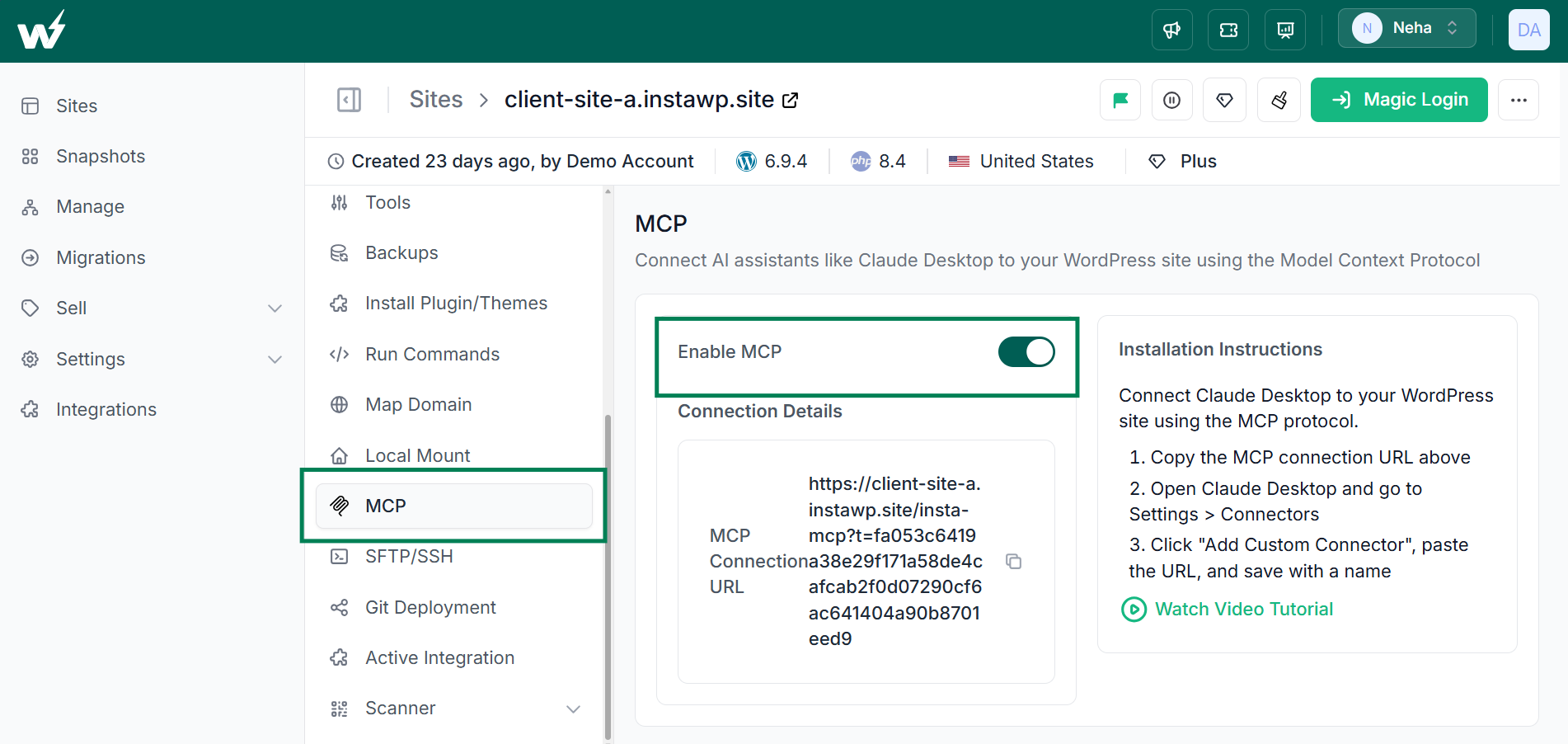
InstaWP is the foundation. It allows you to spin up a WordPress environment in seconds. For this workflow, its most critical feature is the built-in MCP support. This allows the site to “speak” the language that Claude Design understands.
2. Claude Design: The Visual AI
Unlike a standard chatbot, Claude Design is built to handle visual layouts and UI logic. It understands spatial relationships, typography, and color theory. When connected to a site, it can see the structure of your pages and suggest edits that are technically feasible.
3. MCP (Model Context Protocol): The Bridge
MCP is the protocol that allows the AI to “step out” of its chat box and interact with external software. In this context, it allows Claude to read your WordPress site’s data and push design changes directly to the database.
Step-by-Step Guide to Connecting Claude Design to WordPress
This is the technical heart of the process. Follow these steps to establish a secure, live link between your thoughts and your website.
Step 1: Provisioning the Sandbox
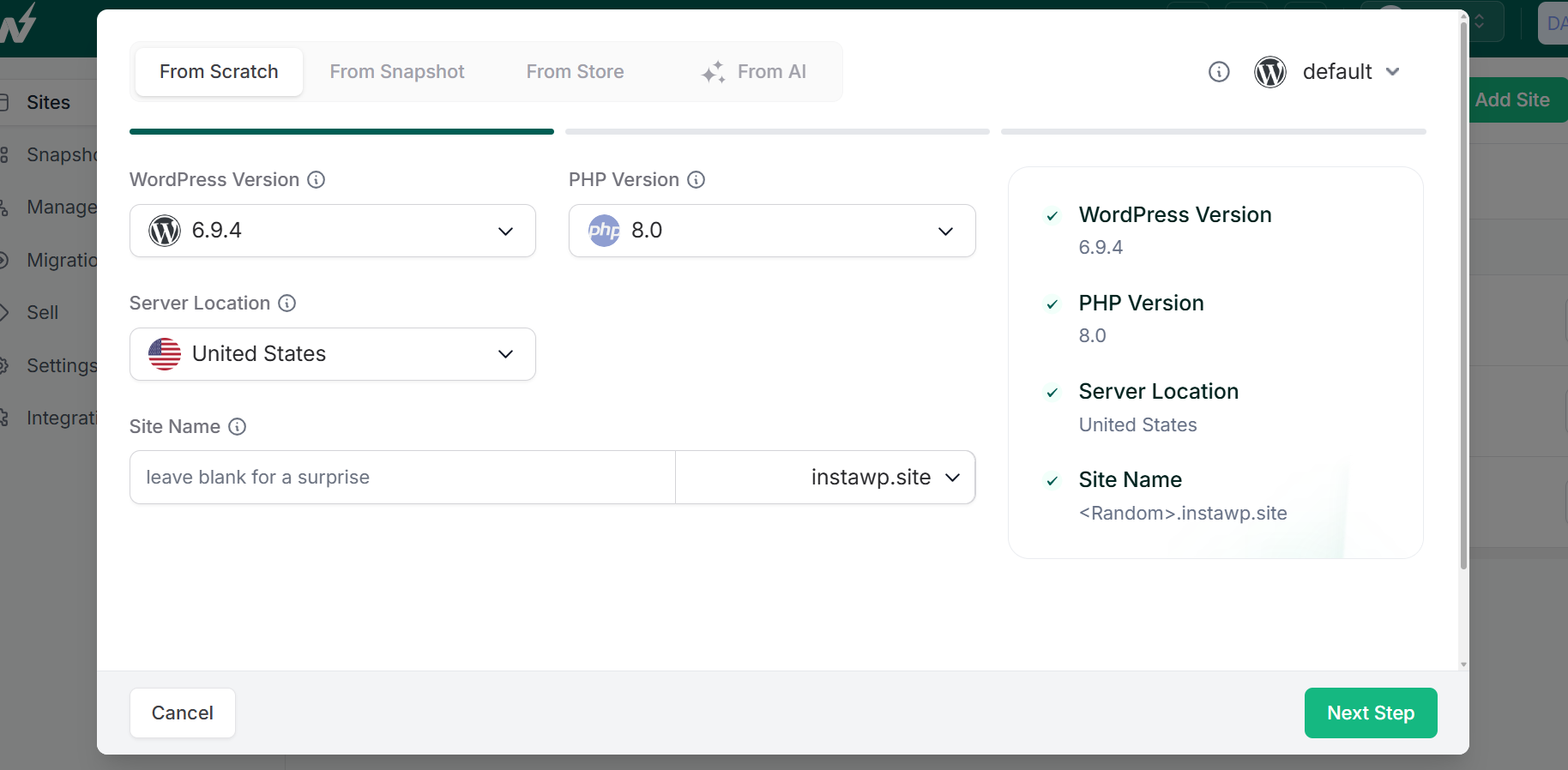
Go to your InstaWP dashboard and create a new site. It is recommended to start with a “Clean” installation to avoid conflicts with pre-installed bloatware.
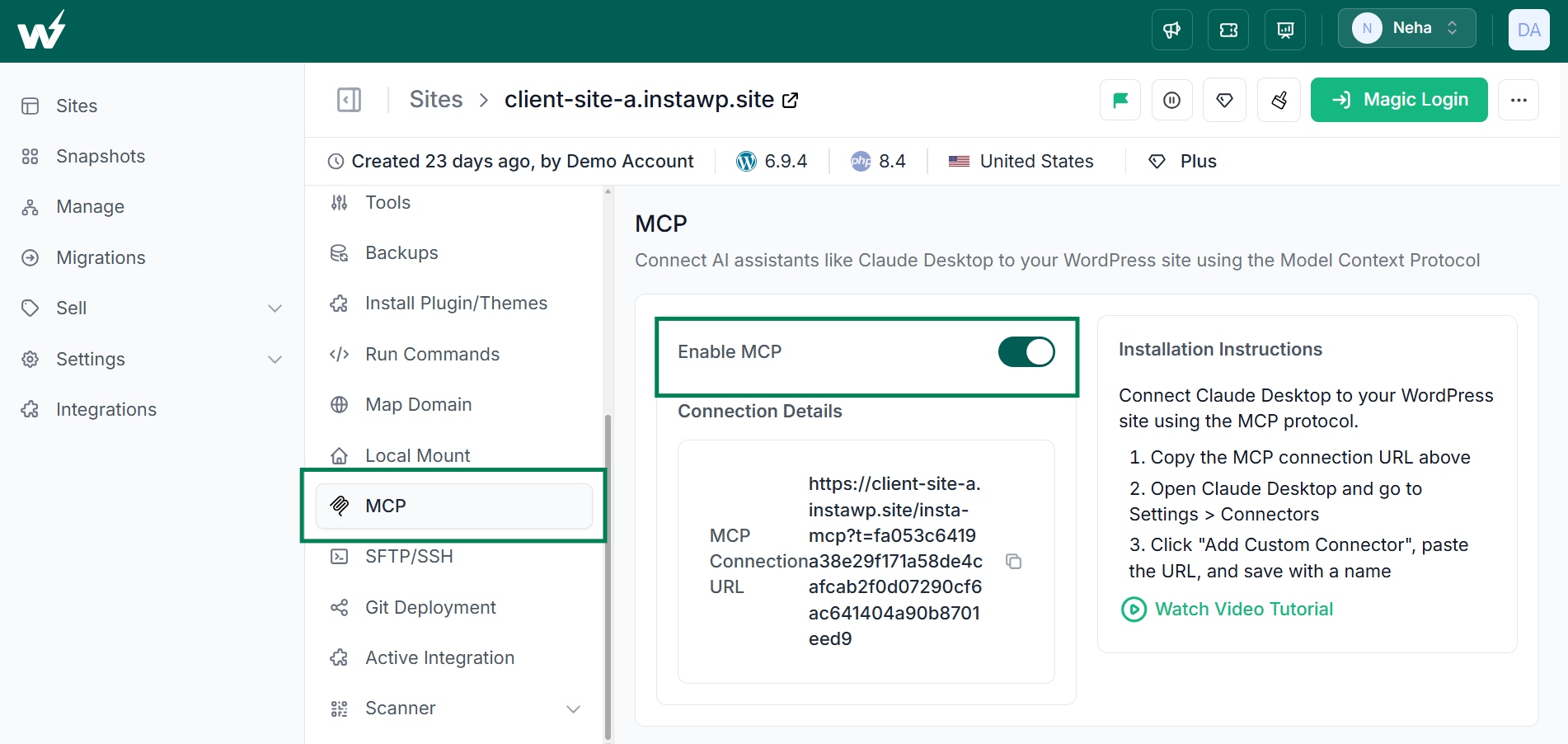
Once the site is live, navigate to the Connectors or MCP section in the InstaWP dashboard. You will see a toggle to enable MCP. When you turn this on, InstaWP generates a unique MCP URL. This URL is the “handshake” that Claude will use to gain authorized access to your site.
Step 2: Establishing the Connection in Claude
Open Claude Desktop. In the Setting > Connector panel, you will find an option to “Add Custom Connector.” Here, name your server and paste the URL you copied from InstaWP.
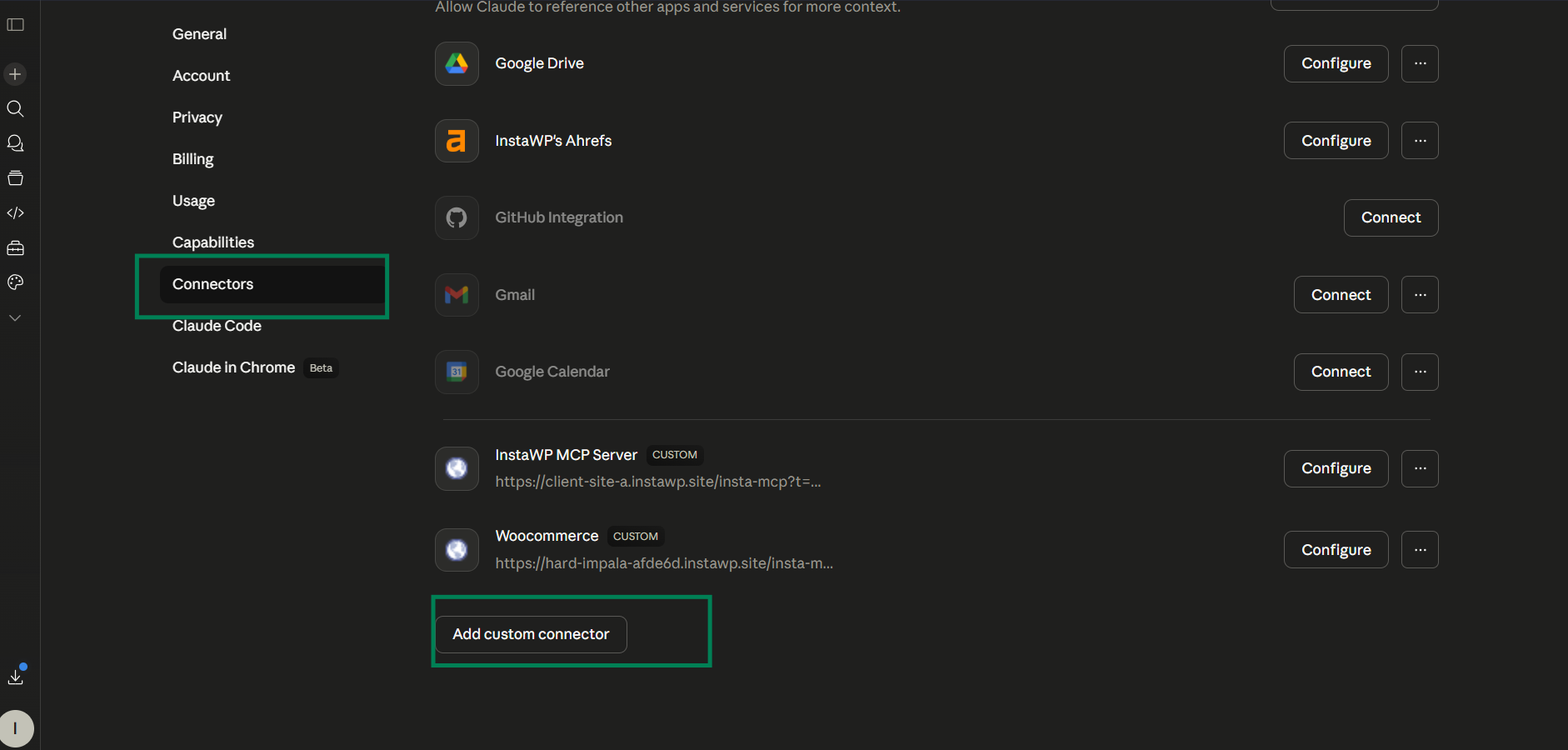
Claude will perform a quick check to verify the connection. Once successful, the AI will confirm that it can “see” your WordPress installation. You are no longer just chatting with an LLM; you are talking to a specialized web designer who has their hands on your server.
Need to understand the process of connecting Claude Desktop with WordPress? Well, we have a video tutorial.
Step 3: Setting the Creative Direction
This is where you define the persona of your site. For this, you need to access Claude Design and create a design system. You can upload all the requirements or simply give a command.
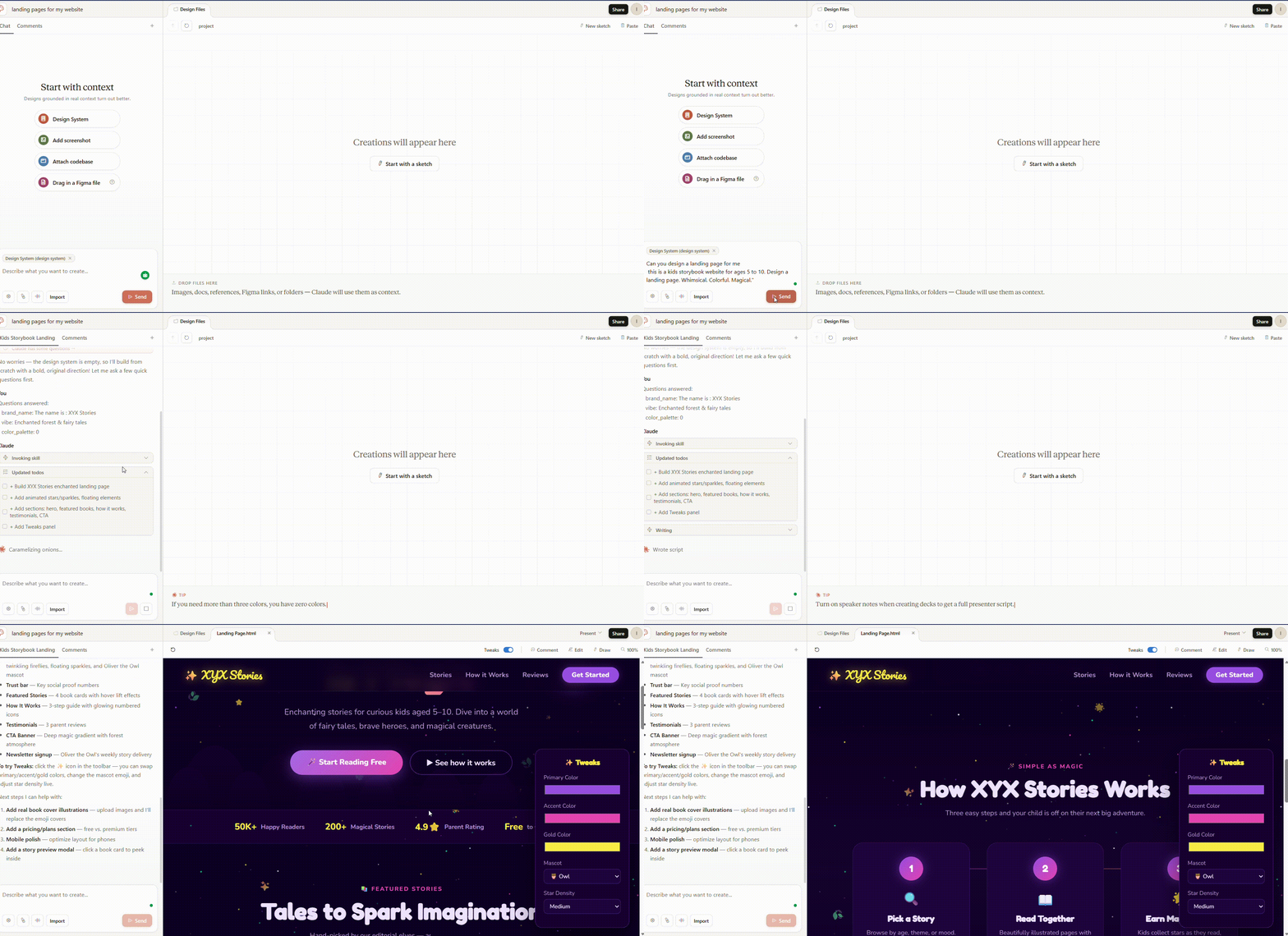
For our example, the goal was a kids’ storybook website for the 5 to 10-year-old age group.
The Initial Prompt: > “I own an online kids’ storybook website. The audience is children aged 5 to 10 and their parents. I need a landing page that feels whimsical, magical, and adventurous. Use a vibrant color palette, but ensure it remains readable for young readers.”
Step 4: Iterative Design in the Canvas
Claude Design will generate a visual layout within its interface. This is not a static image. You can click on elements to refine them.
- Refining Typography: “The headings look a bit too corporate. Make them rounded and playful.”
- Adjusting Layout: “Move the ‘Featured Story’ section above the fold and add a cloud-like border to the images.”
- Adding Functionality: “Include a clear ‘Start Reading’ button that stands out against the whimsical background.”
Step 5: The “One Command” Deployment
Once the design looks perfect in the Claude preview, you reach the most powerful part of the workflow. You do not download files. You do not copy CSS.
“This looks perfect. Publish this directly to my InstaWP site now.”
Claude uses the MCP bridge to communicate with your WordPress site. It creates the page, injects the necessary styles, and organizes the content. In seconds, you will receive a confirmation. When you refresh your InstaWP site, the design is live.
Why Solo Founders Benefit Most
In a typical agency setting, a project like this would cost between $2,000 and $5,000 and take three weeks. By using this agentic stack, the cost is essentially the subscription fee of your tools, and the time is reduced to thirty minutes.
1. Removing the “Middleman”
The “middleman” is often the founder’s own lack of technical confidence. By using a conversational interface, you remove the fear of “breaking the site.” If a design choice does not work, you simply tell the AI to “Undo that and try a more minimalist approach.”
2. Live Prototyping
You can show your “work in progress” to potential customers or investors immediately. There is no “Wait until the developer finishes the staging site” excuse. The prototype is the staging site.
3. Rapid A/B Testing Concept
If you are unsure if “Whimsical” or “Clean/Modern” works better for your storybook site, you can spin up two InstaWP sites and have Claude design a different version for each in the same hour. You can then run small amounts of traffic to both to see which has a lower bounce rate.
Future-Proofing Your Workflow
The Model Context Protocol is still in its early stages, but it represents the future of how humans will interact with the internet. We are moving away from “applications” and toward “capabilities.”
When you use InstaWP and Claude Design, you are participating in the first wave of this shift. You are no longer a “user” of WordPress; you are a “director” of an AI agent that manages WordPress for you.
Best Practices for LLM-Driven Web Design:
- Be Descriptive, Not Prescriptive: Instead of saying “Put a 20px margin here,” say “Give the elements more room to breathe so the page feels airy.” Let the AI handle the specific math.
- Use Reference Points: If you like a specific style, describe it. “Think of the art style in ‘The Little Prince’ or ‘Where the Wild Things Are’.”
- Iterate in Small Bursts: Do not try to build the whole site in one prompt. Start with the header, then the hero section, then the footer. This keeps the AI’s “attention” focused on the details.
Conclusion: The New Standard for Web Creation
The storybook landing page project proved one thing: the barrier to entry for creating high-quality, custom websites has been permanently lowered.
Solo founders no longer need to be “jacks of all trades.” They just need to be masters of their own vision. By leveraging the connection between Claude Design and InstaWP through MCP, the technical and creative hurdles that once killed startups in the cradle have been replaced by a simple, productive conversation.
The era of “designing” is ending. The era of “directing” has begun.