Advanced Timer

Advanced timers for better quiz control.

The Advanced Timer Add-on gives you full control over time-based quizzes, helping you manage pacing, improve engagement, and create a more structured experience for your users.

From setting overall quiz timers to controlling time at the section or page level, you can define exactly how your quiz should behave. Whether you’re running assessments, timed challenges, or interactive quizzes, the timer ensures users stay focused and complete the quiz within your defined limits.

Top Features

1. Start Timer Automatically on Set Page

Control exactly when the timer begins. Instead of starting the timer as soon as the quiz loads, you can choose a specific page where the timer should begin. This is especially useful for multi-page quizzes where you want to give users a certain time before the timer starts.

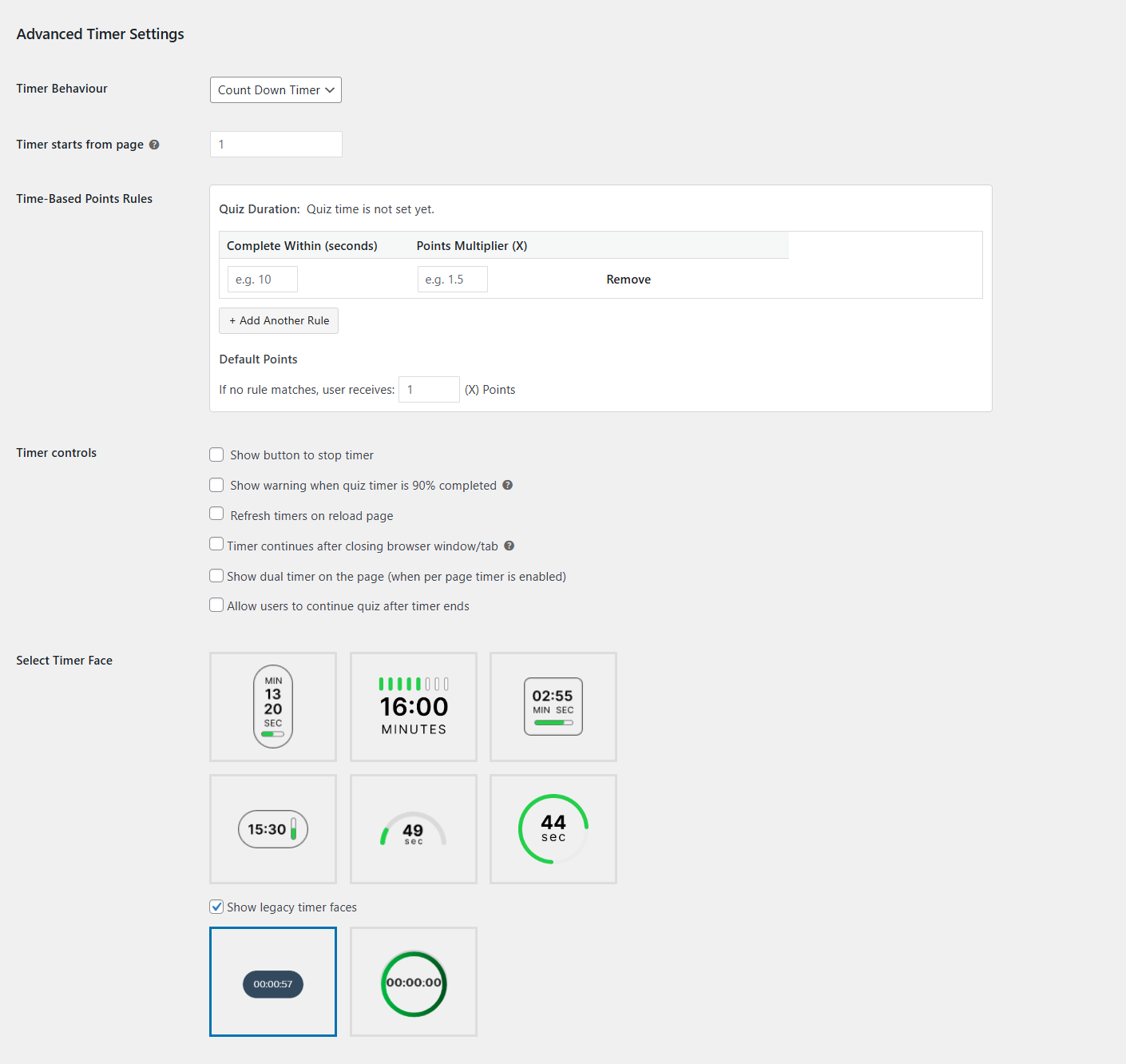
2. Set Timer Behavior

Control how time is presented to your users. With the Timer Behavior option, you can choose between a countdown timer or a count-up timer depending on the type of quiz experience you want to create.

Count-Up Timer tracks how much time a user spends, making it ideal for measuring performance, practice sessions, or untimed assessments

Countdown Timer shows the remaining time, helping create urgency and encouraging users to complete the quiz within a set limit

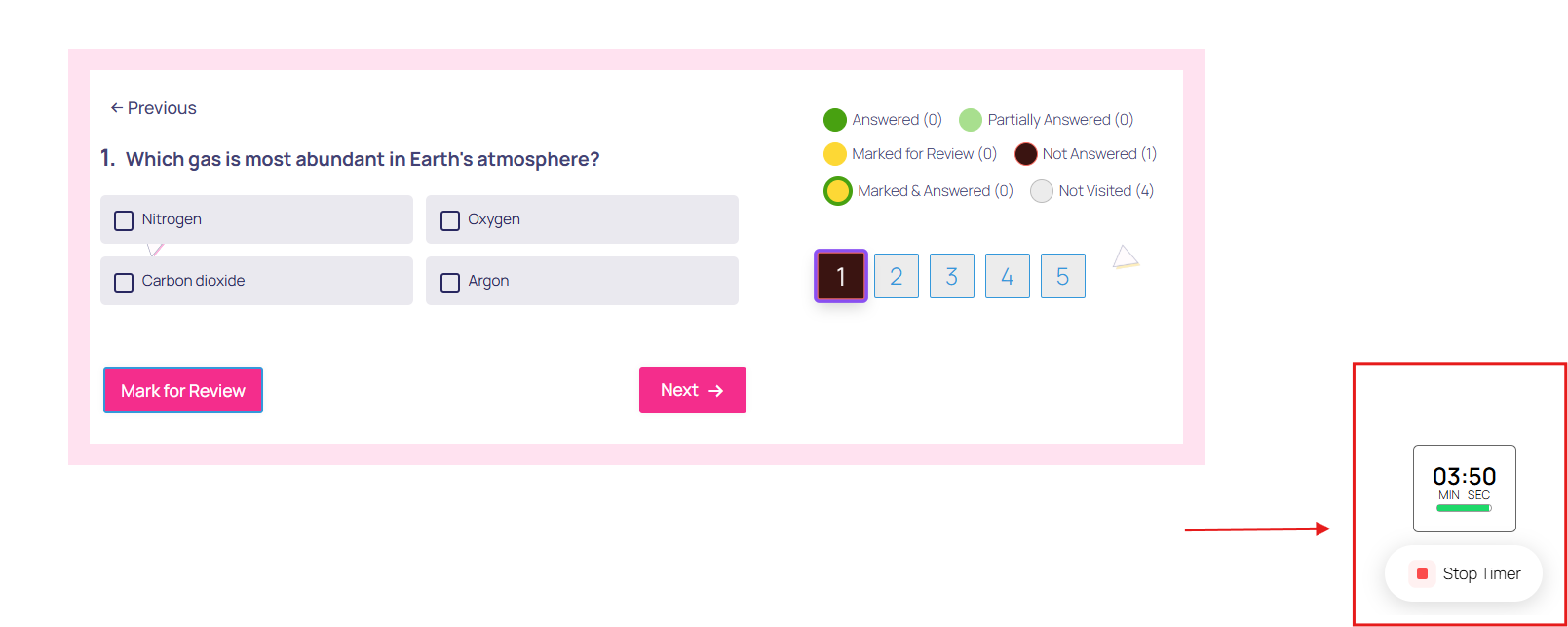
3. Display a Stop Timer Button

Give users control without breaking the flow. Add a stop timer button that allows users to either pause and resume the quiz or submit it immediately. This flexibility is useful for longer quizzes where users may need to pause and return without losing time.

4. Show a Warning at 90% Time Elapsed

Create urgency at the right moment. Display a custom warning message when users reach 90% of their allotted time. This helps reduce incomplete submissions and encourages users to finish before time runs out.

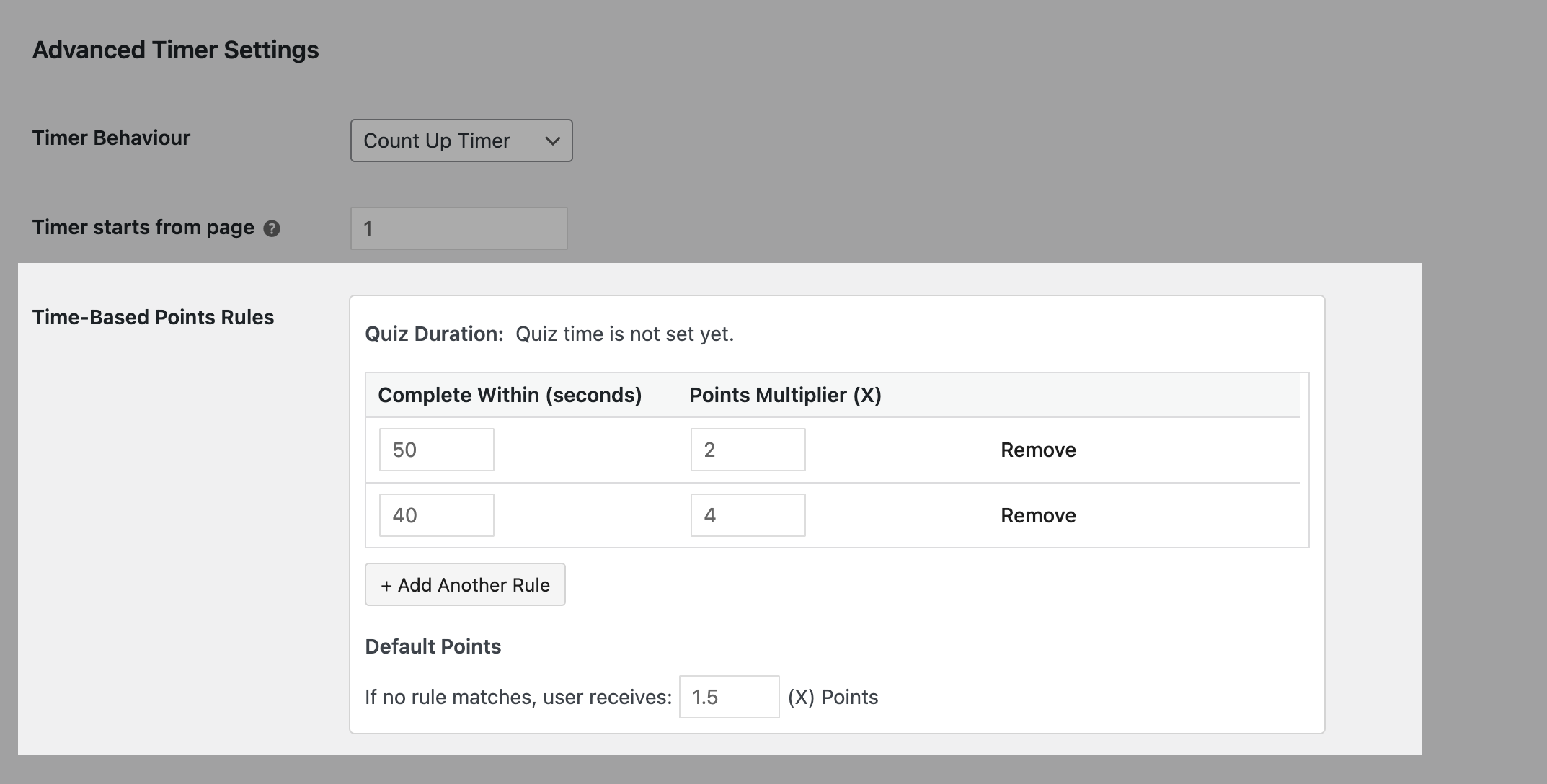
5. Time-Based Points Rules

Turn time into a scoring advantage. With Time-Based Points Rules, you can reward users based on how quickly they complete a quiz. Set thresholds and apply score multipliers for faster completions, adding a competitive and performance-driven layer to your quizzes.

Why Use the Advanced Timer Addon?

  • Create structured, time-bound quiz experiences
  • Keep users engaged with visible time tracking
  • Improve completion rates with smart warnings and pacing
  • Add flexibility with per-page and full-quiz timers
  • Introduce performance-based scoring with time-based rules

License Terms & Documentation

All add-ons can be used indefinitely once purchased. Add-ons include 1 year of support and updates.
View license terms.

Screenshots
Similar Addons

Discover the universe within our addons.

Educators & Professional
Web Developers, Try QSM!

4.9 / 5
Over 1 million downloads

Subscribe to Our Newsletter

Get weekly updates, no spam guaranteed we promise ✌️

Changelog

2.4.0 (March 19, 2026)

  • Feature: Added support for time-based score multipliers, allowing quiz scores to adjust based on submission time

2.3.0 (December 31, 2024)

  • Feature: Added support to resume quiz after timer expires

2.2.0 (December 12, 2024)

  • Feature: Added support for timers to start from zero and count forward

2.1.1 (May 15, 2024)

  • Enhancement: Improved quiz timer UI

2.1.0 (April 09, 2024)

  • Feature: Added option to set hours and seconds in quiz timer

2.0.3 (February 12, 2024)

  • Bug: Fixed php warning on activating the add-on
  • Fixed issue with reset timer feature

2.0.2 (January 30, 2024)

  • Bug: Added option to refresh timers on reload page

2.0.1 (January 10, 2024)

  • Bug: Fixed issue of per page timer with decimal values

2.0.0 (December 15, 2023)

  • Feature: Added six new timer face designs
  • Feature: Added button to reset default setting
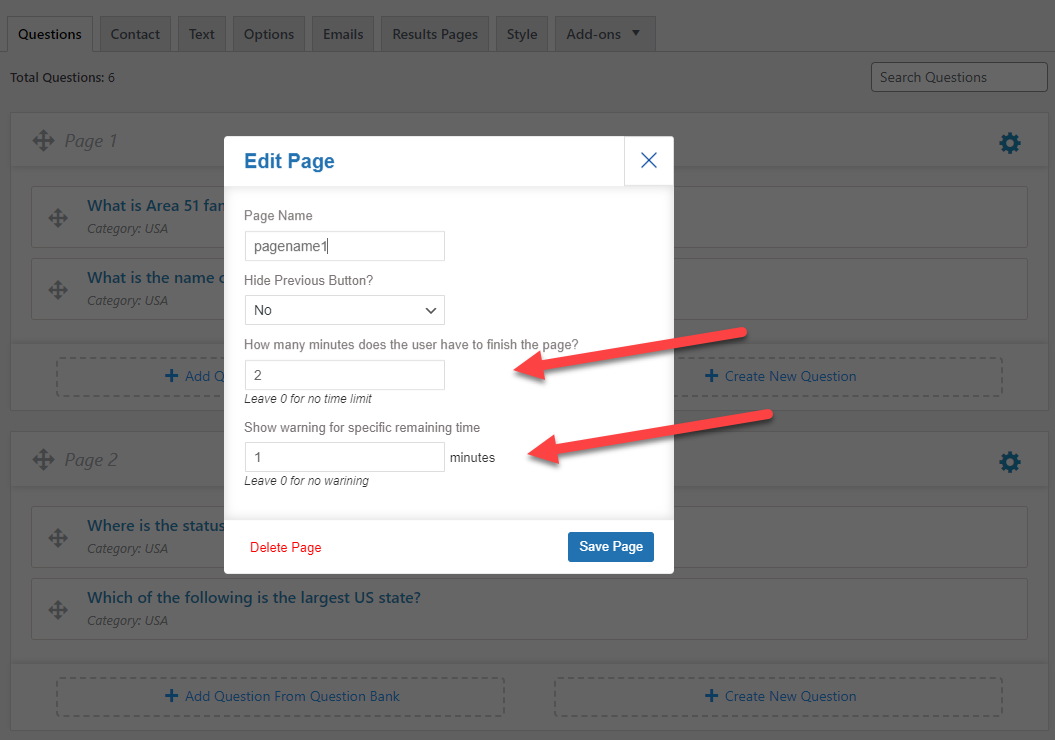
  • Feature: Set duration in seconds for page timers
  • Feature: Set time warning duration in seconds for page timers
  • Feature: Added option to show or hide warning message
  • Feature: Added option to customize timer colors (background, text, progress).
  • Feature: Added option to show dual timer on the page option
  • Enhancement: New UI for page setting
  • Enhancement: New UI for advance timer quiz setting
  • Bug: Fixed issue where Timer continues after closing browser window/tab

1.2.0 (September 21, 2023)

  • Added per page timer with auto pagination

1.1.0 (June 13, 2023)

  • Enhancement: Optimized script and CSS loading for relevant pages only

1.0.9 (May 22, 2023)

  • Feature: Added option to continue timer even after closing browser window/tab

1.0.8 (February 06, 2023)

  • Bug: Fixed issue while stopping the timer

1.0.7 (August 01, 2022)

  • Bug: Fixed issue with update notifications while saving settings.

1.0.6 (March 17, 2022)

  • Bug : Fixed issue with license key
  • Feature: Added new template variables to show time spent on individual pages

1.0.5 (October 11, 2021)

  • Bug: Fixed the issue with invisible time with manual pagination.

1.0.4 (September 10, 2021)

  • Added translation support.

1.0.3 - (June 21, 2021)

  • Bug: Fixed the issue with popup being visible after pausing timer.

1.0.2 - (April 29, 2021)

  • Bug: Fixed warning message overlapping submit button
  • Bug: Fixed license validation logic.
  • Feature: Added translation support.

1.0.1 - (May 08, 2020)

  • Bug: Fixed the admin notice for minimum required version

1.0.0 - (April 22, 2020)

  • Feature: Added option to start timer from selected page
  • Feature: Added a button to stop timer at any point in time
  • Feature: Added option to choose between different timers
  • Feature: Added option to show a warning when timer reaches 90%