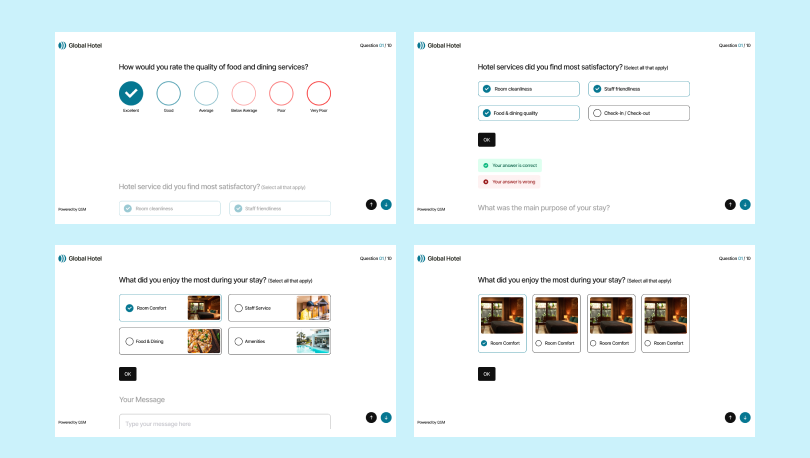
True to its name, the Spotlight Theme puts every question under the spotlight. As your quiz takers navigate through your quiz, the active question remains fully visible, while the upcoming questions are shown at slightly lower opacity. Creating a clean, focused experience that guides attention naturally to one question at a time.Whether you’re running personality quizzes, assessments, or certification exams, the Spotlight theme delivers a premium, distraction-free experience that keeps your quiz takers engaged.
Spotlight Theme’s Highlights
1. Focused Question Experience
The Spotlight theme uses opacity to direct users’ attention naturally. The current question is always displayed at 100% opacity, which is fully in focus. While the upcoming or previous questions dimmed to 90% opacity, they are visible but still in the background. No distractions, just clarity.
2. Smooth Transition
The theme provides smooth transitions between questions using up & down arrows or scrolling between questions. Plus, you can use the ‘OK’ button provided or the ‘enter’ key to move to the next question and the ‘Ctrl + enter’ keys to submit the quiz.
3. Accessibility First
The opacity changes are designed to maintain full text readability and contrast compliance at all times. Your quiz takers get a beautiful experience without any compromise on accessibility.
Theme Customization
Take full control of how your Spotlight theme looks with flexible customization options:
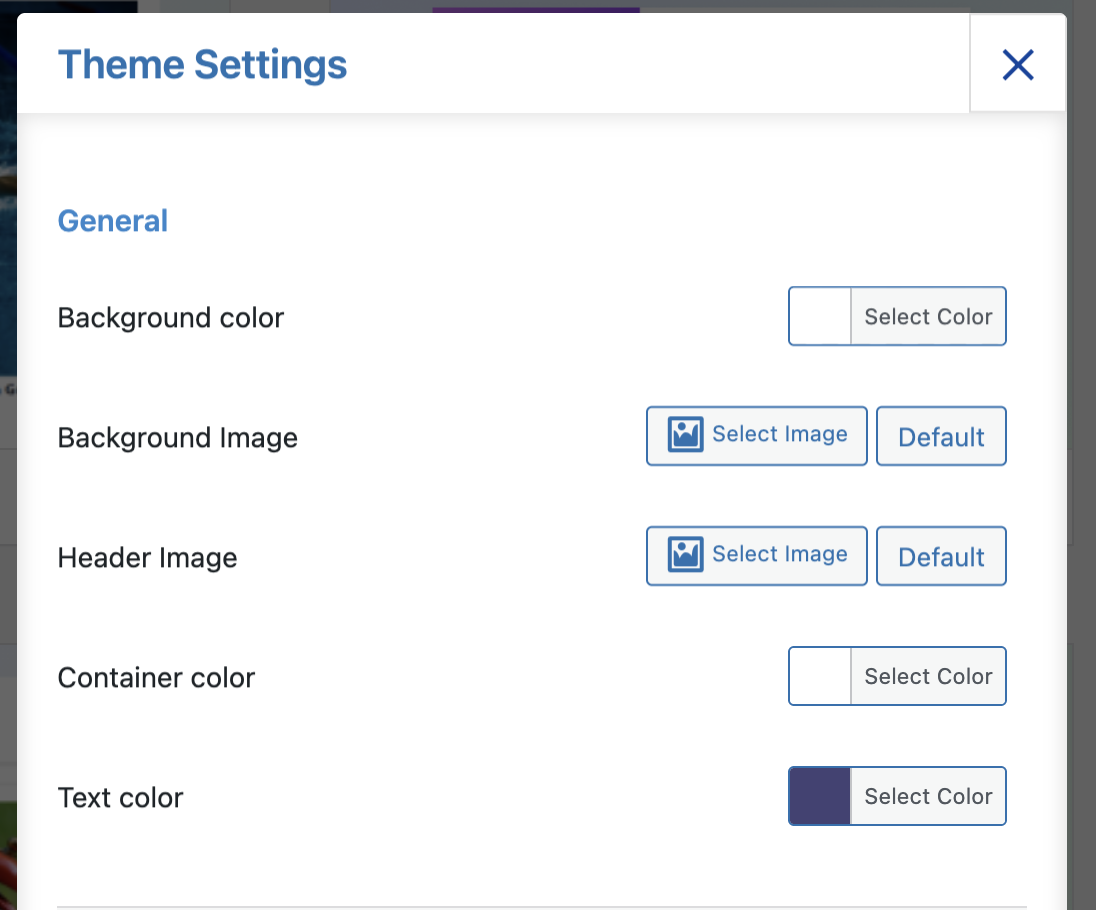
- General Settings — Customize background color, background image, and container color.
- Background Border — Set border color, thickness, and radius to match your brand
- Buttons — Customize primary and secondary button colors for both normal and hover states
- Progress Bar — Choose the fill and text colors for your progress indicator
- Timer Labels — Customize the Quiz Time and Time Left label text
- Advanced Options — Select your preferred time format, set a custom font family, and optionally disable the previous button
License & Documentation
The Spotlight Theme requires QSM 11 with the New Render option enabled. It is compatible with all QSM premium theme color schemes and layouts.
View Spotlight Theme Documentation